AI Tool
AI Sketch to Game Art Converter
Transform pencil sketches into fully rendered game art in your chosen style. Accelerate concept art pipelines from rough ideation to production-ready visuals.
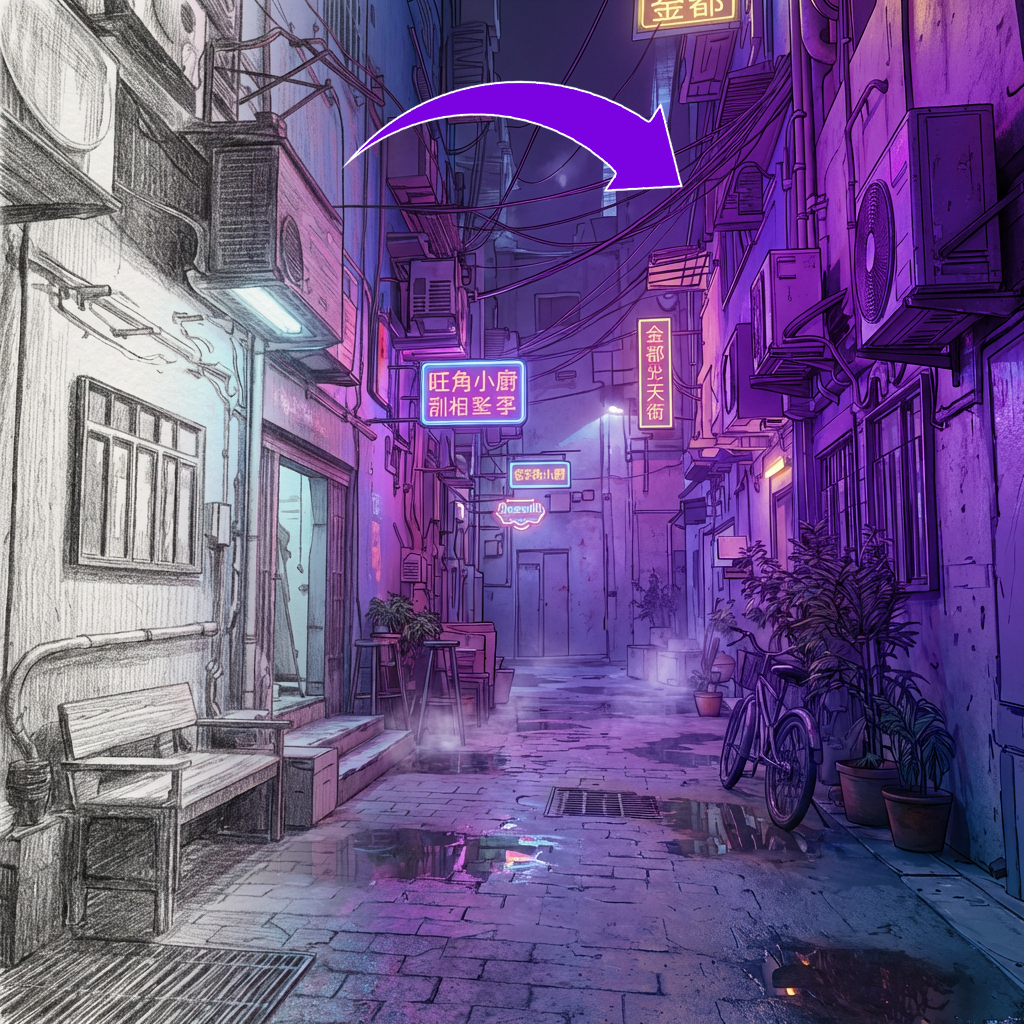
Convert rough sketches into fully rendered game art
Transform pencil drawings, ink line art, and whiteboard concepts into polished, production-quality artwork in one step. Layer preserves the original composition and proportions while adding color, shading, textures, and material detail.
Finalize concept art from early-stage drawings
Turn loose concept sketches into presentation-ready visuals for stakeholder reviews, pitch decks, and greenlight meetings. Art directors can evaluate multiple rendered directions from the same sketch before committing to a production style.
Accelerate ideation with rapid sketch-to-render cycles
Iterate from rough idea to finished visual in minutes instead of hours. Designers can sketch freely and let Layer handle the rendering pass, making it practical to explore dozens of visual directions within a single brainstorming session.
Apply your game's art style to any rough drawing
Use style references or art direction prompts to ensure every rendered sketch matches your title's established visual language. This keeps exploratory work aligned with production standards and reduces the gap between concept and final asset.
FAQ
What does the Sketch to Art Style Layer use case template do?+
The Sketch to Art Style Layer use case template converts black-and-white or rough sketches into fully colored, textured, and shaded artwork while maintaining the original layout, shapes, and creative intent.
What types of sketches work best with this use case template?+
This Layer use case template works best with:
Pencil or ink sketches
Line art and concept drawings
Environment, character, or prop sketches
Early ideation or whitebox concepts
Can I control the final art style?+
Yes. You can define the final style by:
Uploading style reference images
Specifying art directions (cartoon, painterly, realistic, stylized)
Matching an existing in-game or brand style
Does this use case template preserve the original composition?+
Yes. The template respects the original sketch’s composition, proportions, and perspective, focusing only on rendering and visual polish.
Is this useful for game concept art and production?+
Absolutely. This Layer use case template is commonly used to accelerate concept art, environment ideation, prop exploration, and early production visuals for game studios.
Can I batch convert multiple sketches at once?+
Yes. The Sketch to Art Style Layer use case template supports batch processing, allowing teams to convert many sketches into finished art in a single run.
Can I iterate quickly on different visual directions?+
Yes. You can generate multiple rendered versions of the same sketch in different styles, making this ideal for exploration, reviews, and creative alignment.