AI Uv Unwrap
Clean UVs for Any Mesh, Geometry Untouched
Lay a mesh's surface out flat with a fresh UV layout, ready to paint, bake or retexture.


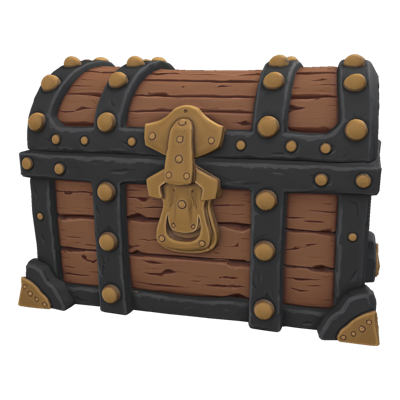
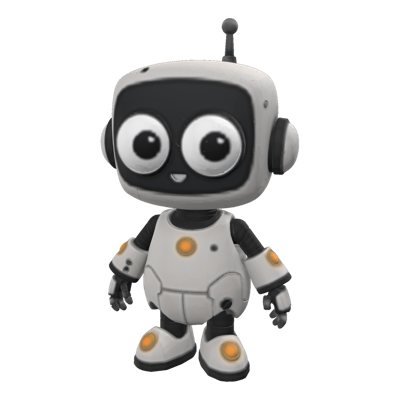

UV Unwrap
A mesh without a usable UV layout is a mesh nobody can texture. Generated models, scans and legacy exports routinely arrive with UVs that are fragmented, stretched or missing entirely, and cutting seams and packing islands by hand is slow, fiddly work that sits between a finished model and the texture artist who is waiting on it.
UV Unwrap on Layer lays out fresh UV coordinates on an existing model. Upload a mesh, pick an unwrap model, and get back the same geometry with a clean layout, ready to paint by hand, bake onto, or send straight into Retexture.
01
Key capabilities
A Fresh UV Layout
Layer places seams and lays the surface out into islands, so the result is ready for texturing rather than another round of cleanup.
Geometry Kept As-Is
Only the UVs change. The silhouette, topology and polycount you approved come back exactly as you sent them.
Textures, Rig and Animation Carried Over
When a mesh is already textured, rigged or animated, choose the model that remaps its existing textures, rig and animation onto the new layout, so re-unwrapping does not mean starting again.
A Choice of Unwrap Models
Several unwrap models sit behind the one tool. Pick the one that suits the mesh in front of you, from an untextured mesh ready for painting to a full re-unwrap of a finished asset.
Part of the 3D Toolkit
UV Unwrap sits beside Remesh, Retexture, Segment and Rig & Animate, so a generated model can go from raw output to textured, game-ready asset in one place.
02
How it works
Bring in a mesh
Start from a model you generated on Layer, an upload from your DCC tool, or a legacy asset whose UVs need replacing.
Choose an unwrap model
Pick the model that fits the job: a clean layout on an untextured mesh, or a re-unwrap that keeps what is already on the asset.
Texture the result
Download the unwrapped mesh for painting in your own tools, or send it to Retexture to generate new materials on the fresh layout.
The industry's best 3D models. One platform.
03
Built for game production
Generated Asset Pipelines
Generation gets a model to the right shape fast. UV Unwrap gives it the layout texturing needs, closing the gap between a promising mesh and one an artist can finish.
Hand-Painted Styles
Painters need islands they can read. A clean layout makes hand-painting and touch-up work practical on models that started life as generated output.
Baking and Material Work
Normal, AO and other baked maps depend on a sensible UV layout. Unwrap first and bakes come out without the stretching and overlap that ruin them.
Legacy Asset Refresh
Older models with broken or overlapping UVs can be brought back into service for a remaster or a new event, without rebuilding them from scratch.
04
Related features
Questions about UV Unwrap
What does UV Unwrap do?+
It lays out new UV coordinates on an existing 3D model, flattening its surface into islands a texture can be painted or baked onto. The mesh's geometry stays as it is; only the UV layout changes.
Why do generated meshes need new UVs?+
Models from generation, scans and older exports often arrive with UVs that are fragmented, overlapping or missing. A clean layout is what lets a texture artist paint the asset, bake maps onto it, or hand it to another texturing step without fighting the seams.
Will unwrapping change my model's shape?+
No. UV Unwrap keeps the geometry you supplied and rebuilds only the UV layout, so silhouettes, polycount and proportions you approved are unchanged.
What happens to textures, rigs and animation on the mesh?+
It depends on the model you pick. Most return an untextured mesh with the new layout, ready to texture from scratch. One option re-unwraps a textured, rigged or animated mesh and carries its existing textures, rig and animation onto the new layout.
Is there a limit on mesh density?+
Each unwrap model accepts meshes up to its own face limit, shown when you choose it. For very dense generated meshes, run Remesh first to bring the face count into range, then unwrap the result.
Try UV Unwrap today
Skip the manual seam pass on your next asset. Unwrap your first mesh free on Layer.